Let’s be honest – managing events across multiple venues is a nightmare. You’re juggling different locations, coordinating staff who need to be in five places at once, and somehow trying to keep everyone on the same page. Sound familiar?
If you’re nodding your head right now, you’re not alone. Most event planners I talk to say multi-venue coordination is their biggest headache. But here’s the thing – it doesn’t have to be this way.
Why Multi-Venue Events Drive Us Crazy (And What We Can Do About It)
Picture this: You’re running a corporate conference with breakout sessions happening at three different hotels downtown. Your AV team is at Location A, your catering coordinator is stuck in traffic heading to Location B, and somehow your keynote speaker ended up at Location C – which isn’t even part of your event.
This chaos happens more often than we’d like to admit. Traditional event planning tools just weren’t built for the complexity of multi-venue coordination. They work great for single locations, but throw in multiple venues and suddenly you’re playing a very expensive game of whack-a-mole.
The problem gets worse when you realize that about 70% of large events now span multiple locations. Companies want to create more intimate experiences, break up massive crowds, or simply utilize multiple spaces to accommodate everyone safely. But our planning tools haven’t caught up with this reality.
Enter EventWorks: The Multi-Venue Solution You’ve Been Waiting For
EventWorks isn’t just another event planning platform – it’s specifically designed for the headaches that come with multi-venue coordination. Think of it as your personal event management assistant that actually understands what you’re dealing with.
What Makes EventWorks Different
Unlike those generic scheduling tools that treat every venue like it’s the same, EventWorks gets that each location has its own personality. Some venues have strict union rules and operating hours, others have limited parking, and they all invariably have different posts that need to be staffed.
The platform learns these quirks and builds them into your scheduling automatically. No more sticky notes reminding you that the downtown venue needs extra setup time or that the suburban location always runs behind on catering.
Real Talk: How EventWorks Actually Helps
Smart Scheduling That Actually Works Remember the last time you tried to coordinate staff schedules across multiple venues using spreadsheets? EventWorks takes that nightmare and turns it into something that actually makes sense. It knows how long it takes to get from venue A to venue B, which team members work well together, and who shouldn’t be scheduled for back-to-back events.
Communication That Doesn’t Suck Ever played telephone with your event team across different venues? By the time information travels from the main coordinator to venue staff, important details get lost. EventWorks creates direct communication channels so everyone gets the same information at the same time.
Resource Management That Makes Sense Instead of guessing how many people you need at each venue, EventWorks uses data from your previous events to suggest optimal staffing levels. It’s like having a crystal ball, but one that’s actually useful.
The Step-by-Step Guide to Multi-Venue Success (That Actually Works)
Getting Started: Setting Up Your Venues
First things first – you need to tell EventWorks about each of your venues. But don’t just input the basics like address and capacity. This is where you get to share all those little details that make or break events.
Does the convention center’s freight elevator take forever? Add that to the venue profile. Is there always a line at the coat check at the hotel? Note it down. The more EventWorks knows about your venues’ personalities, the better it can help you plan around potential issues.
For each venue, include:
- Realistic setup and breakdown times (not the optimistic ones from the sales brochure)
- Post locations that need to be staffed and responsibilities for each post
- Operating and Post hours
- Parking limitations and alternatives
- Loading dock schedules and restrictions
- Contact information for key venue staff
- Equipment availability and condition
- Past event challenges and solutions
Building Your Dream Team Profiles
Your staff members aren’t interchangeable puzzle pieces, and EventWorks gets that. Some people are great at handling VIP guests but struggle with technical setups. Others can troubleshoot AV issues in their sleep but prefer to avoid high-stress client interactions.
Create detailed staff profiles that include:
- Skills and certifications
- Preferred venue types
- Availability patterns (some people are morning people, others aren’t)
- Transportation considerations
- Team dynamics and preferred working partnerships
Creating Schedules That Don’t Fall Apart
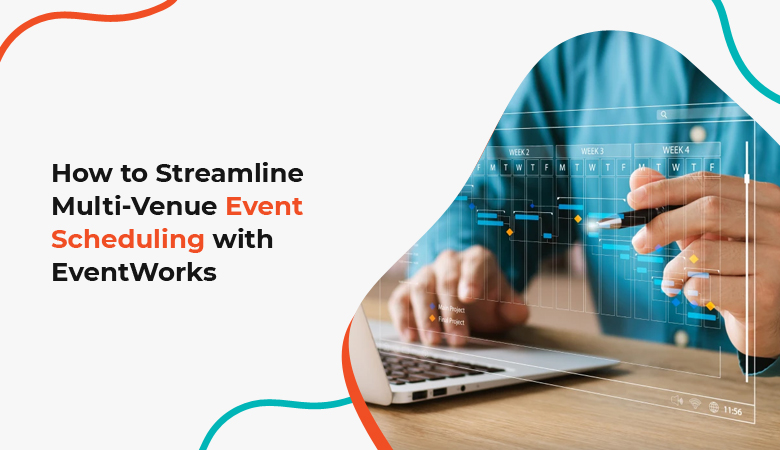
Here’s where EventWorks really shines. Instead of creating separate schedules for each venue and hoping they align, you create one master schedule that automatically coordinates across all locations.
The drag-and-drop interface lets you move people and resources around visually. If you try to schedule someone to be in two places at once, the system flags it immediately. If you’re cutting it close on travel time between venues, you’ll get a warning.
But the real magic happens with the automatic suggestions. EventWorks looks at your schedule and says things like, “Hey, if you move Sarah’s shift 30 minutes later, she can handle both the morning briefing and the afternoon setup without rushing.”
Communication Strategies That Keep Everyone Sane
Good communication is the difference between a smooth event and a disaster. EventWorks creates communication channels that make sense for how events actually work.
You get venue-specific channels for location-based discussions, event-wide channels for general announcements, and emergency channels that cut through the noise when something urgent happens.
The mobile app means your team can stay connected whether they’re in the venue, in transit, or grabbing coffee between setups. Updates sync in real-time, so nobody’s working with outdated information.
Advanced Features That Make You Look Like a Genius
Predictive Problem-Solving
EventWorks learns from your events and starts predicting problems before they happen. It might notice that certain venue combinations always create scheduling conflicts or that specific staff pairings consistently run over time.
These insights help you make better decisions before problems become crises. It’s like having a seasoned event planner whispering advice in your ear.
Integration with Your Existing Tools
You don’t have to throw out all your existing systems to use EventWorks. The platform plays nicely with most venue management software, accounting systems, and communication tools you’re already using.
This means no more manual data entry between different systems and no more wondering if your numbers match across platforms.
Mobile-First Design for Real-World Use
Let’s be honest – when you’re running between venues, you’re not sitting at a desk with a full computer setup. EventWorks was built for people who work on their phones and tablets.
The mobile interface isn’t just a shrunk-down version of the desktop site. It’s designed for the specific tasks you need to do while mobile: checking schedules, sending quick updates, requesting help, and accessing emergency contacts.
What’s Happening in Multi-Venue Events Right Now
The event industry is changing fast, and multi-venue coordination is becoming more important than ever. Companies are moving away from massive single-location events toward distributed experiences that feel more personal and manageable.
The Hybrid Reality Even post-pandemic, many organizations are sticking with multi-venue approaches because they work better for different audience segments. You might have an in-person component, a virtual component, and satellite viewing parties all happening simultaneously.
Sustainability Concerns Using multiple smaller venues often has a lower environmental impact than one massive space. Plus, it’s easier to choose venues that align with sustainability goals when you’re not limited to convention centers and mega-hotels.
Technology Integration People expect seamless experiences even when moving between venues. EventWorks helps coordinate technology setups so attendees don’t feel like they’re attending completely different events.
Real-World Tips for Multi-Venue Success
Before Your Event
Scout Everything in Person Don’t rely on venue websites or sales materials. Visit each location during similar conditions to your event. If you’re planning a morning conference, visit in the morning. If it’s an evening gala, go during evening rush hour.
Create Backup Plans for Your Backup Plans Multi-venue events have more moving parts, which means more things can go wrong. For each potential issue, have at least two solutions ready.
Test Your Communication Systems Make sure everyone can reach everyone else from all venues. Dead zones and poor cell service can turn minor issues into major problems.
During Your Event
Designate Venue Champions Have one experienced team member take ownership of each venue. They become the go-to person for that location and can make decisions without constantly checking with central command.
Use Real-Time Updates Don’t wait for scheduled check-ins to communicate problems. Use EventWorks’ instant messaging to keep everyone informed as situations develop.
Stay Flexible Multi-venue events require more adaptability than single-location events. Be ready to shift resources and adjust plans as needed.
After Your Event
Debrief While It’s Fresh Schedule post-event discussions within 48 hours while details are still clear in everyone’s minds. EventWorks can help organize these conversations by venue and topic.
Document Everything Record what worked, what didn’t, and what you’d do differently. This information becomes invaluable for future events.
The Money Talk: Why EventWorks Pays for Itself
Multi-venue events typically cost 40-60% more to coordinate than single-venue events. That’s partly due to increased complexity, but mostly because of inefficiencies in traditional planning methods.
EventWorks users report saving 20-30 hours per event on coordination tasks alone. When you factor in reduced overtime costs, fewer last-minute emergency fixes, and improved staff satisfaction, the platform typically pays for itself within the first few events.
But the real value isn’t just financial. It’s the peace of mind that comes from knowing your event will run smoothly, your team won’t be stressed out, and your attendees will have a great experience.
Common Mistakes (And How to Avoid Them)
Treating All Venues the Same
Each venue has its own culture, rules, and limitations. What works at the downtown conference center might be a disaster at the historic hotel. EventWorks helps you customize your approach for each location. EventsWorks also allows administrators to view/manage one site or all sites depending on their defined role.
Underestimating Travel Time
Moving people and equipment between venues always takes longer than you think. Factor in traffic, parking, setup time, and buffer time for unexpected delays.
Poor Communication Hierarchies
When something goes wrong, people need to know who to contact and how quickly to expect a response. EventWorks helps establish clear communication protocols that work under pressure.
Ignoring Venue-Specific Requirements
Some venues have union requirements, specific loading procedures, or unusual policies. Know these details upfront and build them into your planning.
Planning for the Future of Multi-Venue Events
The trend toward multi-venue events isn’t slowing down. If anything, it’s accelerating as organizations realize the benefits of distributed experiences.
EventWorks stays ahead of these trends by continuously updating its features and capabilities. Recent additions include AI-powered scheduling suggestions, enhanced mobile functionality, and better integration with virtual event platforms.
As new technologies like augmented reality and IoT sensors become more common in events, EventWorks is positioned to integrate these capabilities seamlessly into multi-venue coordination.
Getting Started: Your First Steps with EventWorks
Assessment Phase
Start by honestly evaluating your current multi-venue coordination process. Where do things typically go wrong? What tasks take the most time? Which communication breakdowns happen repeatedly?
EventWorks offers assessment tools that help identify your biggest pain points and prioritize which features will have the most immediate impact.
Implementation Strategy
Don’t try to change everything at once. Start with one or two venues for smaller events, then gradually expand as your team becomes comfortable with the system.
Most organizations find success by beginning with scheduling and communication features, then adding advanced capabilities like predictive analytics and custom integrations.
Training and Adoption
The best technology in the world won’t help if your team doesn’t use it properly. EventWorks provides comprehensive training resources, but the real learning happens during actual events.
Plan to have EventWorks support available during your first few multi-venue events. Having experts available to answer questions and solve problems in real-time makes the transition much smoother.
Making Multi-Venue Events Actually Enjoyable
Here’s something most people don’t talk about: multi-venue events can actually be more fun and rewarding than single-location events when they’re planned properly. There’s something satisfying about orchestrating a complex operation that runs like clockwork.
EventWorks makes this possible by handling the tedious coordination tasks so you can focus on creating great experiences. Instead of constantly putting out fires, you get to be strategic about how your events unfold across multiple locations.
Your team will be happier because they’re not constantly stressed about communication breakdowns and scheduling conflicts. Your clients will be happier because their events run smoothly. And you’ll be happier because you’re not losing sleep over details that should be automated anyway.
The Bottom Line: Why EventWorks Changes Everything
Multi-venue event coordination doesn’t have to be the nightmare it’s been in the past. With the right tools and approach, it becomes a competitive advantage that lets you offer experiences your competitors simply can’t match.
EventWorks isn’t just about making multi-venue events possible – it’s about making them profitable, sustainable, and enjoyable for everyone involved. In an industry where success often comes down to execution details, having a platform that handles coordination automatically gives you a significant edge.
The event industry is moving toward more complex, distributed experiences whether we like it or not. Organizations that master multi-venue coordination now will be the ones that thrive as this trend accelerates.
EventWorks provides the foundation for that success, turning what used to be a source of stress into a source of competitive advantage.