Categories
Blog

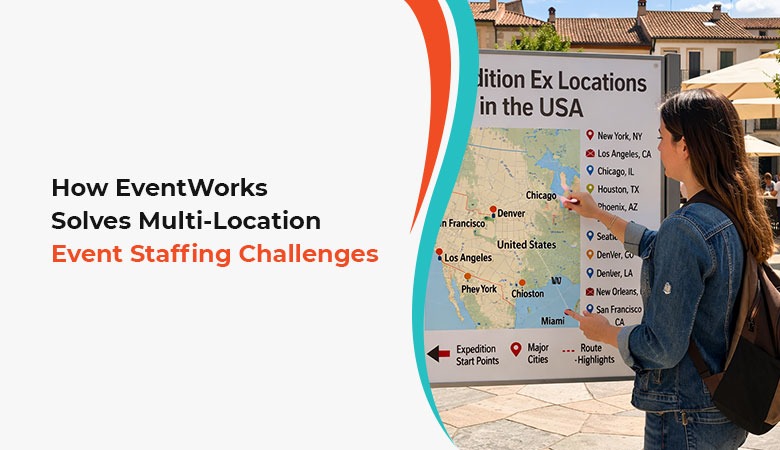
How EventWorks Solves Multi-Location Event Staffing Challenges

Staff management is challenging when it comes to a single event. The control of teams operating in different venues, cities or regions at the same time is a whole different story. The event staffing agencies are expected to organize a huge number of employees, to ensure the same high standards of service and to react in real time to the changes and make all places work in harmony.

Traditional coordination methods struggle to handle this scale. Manual planning, fragmented communication, and last-minute adjustments often result in scheduling gaps, misalignment, and operational inefficiencies. The agencies are turning to more sophisticated employee scheduler programs that allow them to have complete control and coordinate in real time to get past such hurdles.

EventWorks,  a GigFlex product, solves these operational realities with a multi-location, technology-based solution to  event staffing in multi-location event environments.

Why Multi-Location Events Require Specialized Scheduling Solutions

Exhibitions, conventions, festivals, and major sporting events demand precise and flexible staffing models. Every venue can have specific requirements, schedules, and staffing needs. Lack of a central control system can result in discrepancies, which may impact event safety, client satisfaction, worker utilization and performance.

Specially developed scheduling software can ensure effective staffing and exception management across locations. EventWorks empowers agencies to utilize personnel in the most effective way, coordinate complex schedules, and view all currently running assignments without ever losing control over event operations.

This approach transforms mutlti-event scheduling from an uncoordinated and reactionary activity to an integrated and proactive activity enabling successful event operations.

Centralized Coordination Across Multiple Locations

Maintaining a centralized view in the management of decentralized teams is one of the greatest issues in multi-location staffing. Agencies need to monitor the assignment and deployment of staff across venues and ensure that each location has sufficient personnel to cover all critical positions at any given time.

EventWorks is an all-encompassing workforce scheduling software which gathers all the scheduling information into one system. Coordinators have the opportunity of handling several venues at the same time without any confusion on workforce allocation. It also enables site-specific supervisors to effectively monitor and manage teams assigned to them. This helps to remove the confusion that is common when the teams use disconnected tools or manual tracking systems.

Through effective centralization of operations, event management has the ability to monitor event execution as a whole and at the same time attend to the individual requirements of each venue.

Real-Time Adaptability for Dynamic Event Environments

Things do not always go in the way they are planned. Change of attendance, long working hours or impromptu staffing demands quick changes. Agencies need to have the ability to quickly redeploy resources without affecting the quality of their services.

With smart employee scheduling, EventWorks enables coordinators to update schedules in real-time and send updates instantly to on-the-ground teams. Such responsiveness is necessary to ensure continuity of operations at the venues where there is a high priority placed on timing and coordination.

Instead of rushing to fix the last minute problems, the operations team will be alerted to potential exceptions before they even occur, and can take proactive steps to ensure that all locations are staffed optimally.

Managing Workforce Scale Without Losing Efficiency

Multi-location events are known to have hundreds and even thousands of temporary employees operating on staggered shifts. Manual scaling of the scheduling process may cause unnecessary administration workload and create more errors.

EventWorks is an intelligent staffing scheduling software that automates complicated staffing processes. Administrators can assign staff according to the location and needs of the roles, staff availability, and the timing of the specific events and spend less time on manual coordination processes. Intelligent automation helps assure optimized scheduling consistency and enables administrators to be more effective in intraday management of large complex events.

This scalability comes in handy especially with agencies that deal with recurring or multi-regional simultaneous events.

Enhancing Communication Between Teams and Coordinators

Communication during the management of distributed event teams is very clear. Employees should be aware where to report, when to be there and what their specific responsibilities are . 

Event Works offers formalized communication systems in relation to changes in schedules using integrated employee schedule management software. Assignments are automatically  downloaded the the workers mobile app on checkin, they can click to see their assigned role and receive confirmation when they have arrived at their assigned location. All of this helps to eliminate check-in bottlenecks which are very common at large events.  

Automated real-time  communication assists in minimizing misconception and enhancing worker effectiveness.

Ensuring Consistency in Client Experience Across Venues

Clients want consistency in the service standards despite the number of locations used in an event. To reach that consistency, it is necessary to perform a strict coordination and dependable use of staff.

EventWorks helps the agencies implement consistent staffing models, while empowering them to make adjustments to meet the unique requirements of each particular venue. With Geo-Intelligent Scheduling software, administrators can  make sure that each site operates effectively, helping to make the event safe and secure for everyone. 

Improving Workforce Experience in High-Volume Event Operations

The use of volunteers and temporary staff at large events adds to the challenge. It is imperative to give workers clear schedules and effective communication capabilities. Confusion in the scheduling process can result in absenteeism, time wastage, and dissatisfaction.

EventWorks addresses this by ensuring that employee scheduling processes are intuitive and provide employees with certainty and confidence in their schedules. When employees are aware of their job and timeframes, they are more productive and more likely to be retained for future events.

Supporting Data-Driven Decision Making for Future Events

In addition to short-term scheduling requirements, scheduling administrators receive date-driven operational insights that can assist in staffing strategy refinement. The knowledge of workforce utilization, shift coverage, and operational patterns also enables improved planning for upcoming events.

Being a contemporary workforce planning system, EventWorks enables scheduling administrators to effectively analyze trends in the workforce utilization. These lessons can be used to enhance better forecasting, better staffing, and overall efficiency of operations in the long run.

Transforming scheduling information into practical knowledge enables agencies to have a competitive edge in planning events that are multi-locational and complex.

Conclusion

Multi-location event staffing comes with challenges which require accuracy, flexibility and coordination. Event operations management has to find ways to optimize the utilization and performance of large numbers of workers  across event venues. EventWorks is able to meet these requirements because it provides an organized, scalable solution based on the understanding of the complexities of large event staffing.

EventWorks empowers  scheduling administrators to achieve consistency across venues, and real-time changes responsiveness. EventWorks offers the technological basis that will enable large and/or multi-location event operators  to achieve high-quality results with confidence.
Categories
Blog

The Rise of Geo-Intelligent Automation in Event Staffing

The world of events has always been a fast-paced one. Staff runs late. Weather changes. Shifts Open. Venues move.

The staff that was functioning properly in the morning may not function the same way at night.

This is the actual reality that event management agencies must deal with every day.

Right now, the pace is much faster. The rules change, the clients change, the crowd grows, and the clients expect real-time updates.

These are some of the reasons why many agencies are switching to GEO-INTELLIGENT AUTOMATION. It is simple; know where your people are, sign them up where you need and keep the whole workflow smooth with the right employee Scheduling Software.

Now we will look at “HOW” it is happening and why it matters for teams who run events, protect venues, or care for patients and guests.


Let’s see why Event Staffing needs a New Approach

A spreadsheet is not enough.

A schedule on paper doesn’t make sense.

Even the best employee schedule system struggles when things move by the minute.

Events are different from day-to-day business. They deal with:

  •  Sudden Crowd Changes
  •  Large Spaces
  •  Rotating Shifts
  •  Late Arrivals
  •  Client Surprises
  •  Emergency swaps
  •  Staff Spread Across Zones

An event can run across buildings and blocks. One might need many teams moving at once. Hence, the ESM (Employee Schedule Management) must follow the pace.

This is where GEO-INTELLIGENT Products steps in. It connects your staff, your software, online staff scheduling, and your live location data.

You’ll see who is nearby, who is late, who is free, and what is best for each shift.


What GEO-INTELLIGENT AUTOMATION MEANS?

Think of it as a smarter way to manage your staff.

A workforce scheduling software helps you set shifts.

It helps you to place people where they fit the best.

It converts your event staff scheduling software to act like a live map plus a shift planner. One can:

  •  Avoid a last-minute rush
  •  Swap shifts in seconds
  •  Notifies the right people
  • Match shift to workers
  •  Reduce travel time
  •  Move the worker by Zone

This works well for events, along with that, it also works with health workers, security staff, and even hospitality staff scheduling.

When you mix scheduling and location. You cut down waste and improve response time. And this matters the most when you manage a large crowd or fast-changing people.


Why the Mobile Workforce Agency benefits the most.

Mobile staff agencies manage staff who are always on the move. One may cover many events at once. Classic tools make this tough.

But mobile workforce scheduling software and mobile workforce scheduling apps give you the control you need.

Here’s what happens when geo-intelligent automation is added :

  1. Better shift Coverage

One can post open shifts faster. Staff get the alert on their employee scheduling app. Geo match tells you who can reach the site first.

  1. Faster Fill-In

When a staff member calls out, your scheduling app suggests the nearest available staff.

No calls. No guesswork.

Just Quick, Clean Coverage.

3. Cleaner Payroll

When the time tracking, scheduling, and payroll software are linked, it becomes more accurate.

The staff sheet management system fills itself with clock-ins tied to the location.

All of this cuts admin time and reduces most of the errors.


Why are security agencies also adopting this technology?

One of the most important things for these agencies is to be in the right spot at the right time.

Large events may have many zones. Some may need more clients than others.

A security workforce management software system with geo-tools helps you shift staff at once.

Seniors can see the entire site from their screen.

Security teams also benefit from:

  • Shift Management apps
  •  Shift Rostering Software
  •  Shift Allocation Software
  •  Automated Staff Scheduling Software

These tools let you plan for risks, peaks, and rush periods.


Why Home Healthcare Companies Need This Technology Too

Home Healthcare scheduling software works even better with location support.

Event medical crews can leverage the same geo-intelligent scheduling capabilities to improve incident responsiveness and optimize utilization of staff 

With geo-automation, they can quickly send the closest worker to where help is needed.


Why Automation Matters in Event Staffing

Geo-Intelligent Automation is not about replacing people.

It’s about removing errors and delays that come from manual scheduling.

Here’s what it fixes;

  1. Missed Shifts

Automated reminders to reduce no-shows.

If a staff member misses, then the online shift scheduler finds the next best option.

  1. Double Booking

With online employee scheduling systems, you avoid overlap. Staff see clear schedules in their employees’ shift schedule app.

  1. Bad fit Assignments

Automation checks distance, skills, and time.

Your staff scheduling system sends the right person.

  1. Slow Changes

One click can update the full roster.

This is ideal for large events, special events, and high-pressure sites.


The Rise of Automated Workforce Scheduling

More agencies are using software for automated staff scheduling. 

These systems make sure staff follow rules. It prevents fatigue, spreads hours fairly, and updates in real time.

Couple this with geo-intelligence, and the result is a smoother event, a happier staff, and a safer crowd.

Better Tools for a Better Workforce

Mobile agencies today look for the best mix of features, which is good at scheduling staff, better, and easier to use, and gives real-time updates.

Tools similar to these help teams stay flexible.

They let you handle many events/venues at once.

They keep your crew/staff ready for anything.


GIGFLEX: A New Step for Event Staffing

Platforms like Gigflex bring all this power together in one place. You get event staff scheduling software, worker scheduling software, online staff scheduling, and geo-based placement all in one flow.

This helps staffing agencies of all types:

  •  Mobile Workforce Systems
  •  Security Agencies
  •  Mobile Workforce teams
  •  Hospitality Staffing Groups
  •  Large event teams

You cut stress and raise performance when everything runs in one system.

Gigflex improves scheduling + geo tools into one view. 


The Future of Event Staffing is Location-Smart

The world is fast-moving. Events are bigger. Safety rules are tighter. Clients expect more.

Geo-Intelligent automation is no longer optional. It is the next step in the workforce management, scheduling, and staffing and scheduling software.

Agencies that adopt it now will be able to move ahead. They will fill shifts more quickly, reduce downtime, and deliver better services.

This is the rise of smarter, faster, cleaner scheduling.

This is the future of event staffing.

If you want your agency to move faster and to reduce the last-minute stress, …then this is the direction your agency should move in.

Categories
Blog

How Geo-Intelligent Scheduling Improves Staff Retention: Real-World Tactics for Event Managers

In event management, it is important to retain top talents as much as it is to conduct perfect events. Introducing Geo-Intelligent Scheduling – a smart solution that deploys location-specific data that can be used to automate operations, enhance employee satisfaction, and maximize employee loyalty.

We shall consider how this technology will revolutionize staff retention approaches of event managers across the globe.


What Is Geo-intelligent Scheduling and Why It Matters

Geo-Intelligent Scheduling is a combination of geolocation technology in real-time and workforce scheduling. It pairs available staff to local assignments depending on proximity, skills and availability.

To event managements that have numerous venues, this guarantees the ideal staffing, reduced travelling time and enhanced operational precision.

Benefits of geo-scheduling include:

  • Better on-site coverage
  • Reduced commute fatigue
  • Automated staff allocation
  • Improved team accountability

These advantages power long-term staff retention by making employee management more transparent and efficient.


How Geo-Scheduling Improves Staff Retention

1. Reduces Burnout Through Smart Allocation

Geo-scheduling ensures equitable workload distribution by minimizing unnecessary travel. When event staff work closer to their locations, satisfaction and productivity naturally rise.

2. Promotes Transparency and Staff Trust

Automated geo-scheduling solutions have real-time visibility of shifts and help to minimize the distance between event managers and crew. Open scheduling promotes trust – a significant retention factor.

3. Enables Data-Driven Retention Strategies

Geo-scheduling systems compile useful information based on attendance data, punctuality, and activity levels, enabling managers to compensate employees who excel and address possible risks of turnover at the earliest stage.

4. Supports Flexible Scheduling and Work-Life Balance

With self-scheduling empowerment and location preferences, staff have more time to be with their families and have reduced fatigue. This balance has a direct influence on the retention and loyalty rates.


How to Implement Geo-Scheduling in Your Event Management Workflow

  • Implement a scalable geo-scheduling application that works with your current project management systems.
  • Implement real-time GPS positioning and automated  time clock features.
  • Train workers and managers on  how to effectively leverage mobile scheduling dashboards.
  • Use predictive analytics to identify future staffing issues  and provide proactive solutions so that administrators can fix potential problems before they happen.
  • Incorporate HR feedback mechanisms that would improve scheduling equity and contact.

Through such practices, event management teams will be able to attain operational harmony and win a loyal and happy workforce in the process.


Key Insights

In a business where optimized worker utilization, performance and satisfaction is the key to success, Geo-Intelligent Scheduling can make a real difference.It enables  a strategy that is based on fairness, technology, and trust. By investing in such a smart scheduling solution, event managers do not only simplify their logistics but also create stronger and more resilient teams that would be ready to achieve long-term success.

Categories
Blog

Why Geo-Intelligent Mobile Apps Are a Game-Changer for Event & Security Staff

Running your events and security operations across multiple sites? You’re not alone in feeling overwhelmed. Last year alone, over 6.4 million property crimes were reported, many of which occurred at public venues, festivals, and commercial properties—places that rely heavily on event and security staff. At the same time, the events industry came roaring back stronger than anyone expected. The old ways of managing people—spreadsheets, phone calls, and last-minute fixes—just don’t cut it anymore.

Here’s where geo-intelligent mobile apps step in, and frankly, they’re changing everything. We’re talking real-time location tracking that actually works, scheduling that adapts on the fly to ensure critical posts are always staffed , and communication tools that keep everyone in the loop. The result? Operations that run like clockwork.


What Makes Location-Based Workforce Apps Essential Today?

Picture this: you’re managing security for a weekend festival. Three different venues, rotating shifts, and weather threatening to throw everything off schedule. Now imagine trying to coordinate all that with text messages and paper schedules. Sounds like a nightmare, right?

This is precisely why savvy managers are resorting to geo-location-based workforce management solutions. These are not mere flashy applications, but full-fledged game changers, a combination of GPS and intelligent Ai-enhanced scheduling. Your employees will report to work with no bottle-neck at check in and  you will automatically have a heads-up regarding any gaps in coverage, and have the ability to communicate with workers, anywhere/anytime. 

The proof is in the pudding: companies using mobile workforce management see worker utilization, performance and satisfaction increase significantly  and operational costs? They drop to a point where you need fewer administrators to manage your event effectively.


How Do Geo-Intelligent Apps Solve Common Staffing Problems?

Putting an End to Time Theft and Buddy Punching

Let’s be honest—without proper verification, some employees might try clocking in from their couch. Geo-intelligent apps put a stop to that nonsense by requiring staff to be physically present at their designated work area before they can log their hours. No exceptions, no workarounds.

Cutting Down No-Shows and Chronic Late Arrivals

Ever had someone just not show up for their shift? These apps send gentle reminders about upcoming work, while GPS tracking spots potential delays before they become disasters. When someone’s running behind, you can quickly shuffle assignments or bring in backup staff. Crisis averted.

Supercharging Communication When Things Go Wrong

There is no convenient time to have an emergency. It could be a health crisis or a security threat, geo-intelligent applications ensure that you can contact all the members of staff who are in their duty-stations on a real-time basis. Location-aware alerts imply that the notification is received by only the necessary staff, and the coordination of the response becomes blisteringly quick, dramatically reducing chatter on shared radio channels..

Making Schedule Changes Actually Simple

Days when the phone tag was used to request and approve schedule changes are gone. Push updates to the impacted personnel in real-time, allow the employees to view the available shifts when the workload is light, and grant time-off request forms without emails back and forth. All this is done via their phone- the device at which they are already addicted.


What Features Should You Look for in Event and Security Apps?

  • Real-Time GPS Tracking Employees: Keep track of the whereabouts of the staff during those working shifts and yet maintain their privacy when they are off duty. This is not about micromanaging, it is how to ensure resources are optimally allocated and to make sure that all positions are well covered at the time when they need to be covered.
  • Geofenced Time Tracking: Think of this as creating invisible boundaries around work sites. Staff can only clock in once they’ve actually arrived at the correct location. No more guessing games, no more payroll discrepancies.Workers can check their app anytime to visually confirm they are in the right place at the right time.
  • Instant Messaging and Notifications: Push emergency messages to individual users or send messages to whole teams depending on their location. It is the best way to have a direct line to all the people who have to know and at the right time they have to know. Workers can also privately message the operations desk if they have issues or concerns
  • Automated Scheduling: Geo-Intelligent algorithms exclude the guesswork in staffing decisions using historical trends as well as upcoming events and season variations. The time saved on the spreadsheet can be used in working on what is important.
  • Mobile-First Design: Your field personnel are not sitting at desks: they require applications which operate perfectly on smartphones. Unless it is mobile-optimised, then it will be a waste to your team.
  • Integration Capabilities: The best platforms play nicely with your existing payroll systems, background check providers, and client management tools. Seamless integration means less administrative headache for you.

How Does Location Intelligence Improve Event Security?

Large-scale events are security puzzles waiting to be solved. Crowds shift unpredictably, situations can escalate in seconds, and coordinating multiple security zones requires precision that traditional methods simply can’t deliver.

Geo-intelligent apps transform your operation into a digital command center. Security supervisors get a bird’s-eye view of staff distribution across the entire venue. When trouble breaks out near the main entrance, the system immediately pinpoints your closest available personnel and dispatches them while alerting the right supervisors. No confusion, no delays.

Event organizers love detailed reporting too. Response times, coverage patterns, staff utilization—all the data you need to fine-tune future events and prove compliance with security requirements. It’s accountability that actually adds value.


What ROI Can Businesses Expect from These Solutions?

The financial benefits start showing up almost immediately. Here’s what smart operators are seeing:

  • Labor Cost Reduction: Accurate time tracking eliminates the padding and guesswork, while optimized scheduling prevents the expensive mistake of overstaffing quiet periods. Most businesses trim 10-15% off their labor costs within the first few months.
  • Increased Client Satisfaction: Better coverage plus faster response times equals happier clients. Happy clients stick around longer and send referrals your way—the kind of organic growth that marketing budgets can’t buy.
  • Reduced Insurance Premiums: Some insurance companies actually offer discounts for businesses using verified workforce management systems. Lower liability exposure translates to real savings on your bottom line.
  • Increased Work Efficiency: When employees do not waste much time struggling with the administration, they have an opportunity to work at their strongest. The result? Unusual service quality in comparison with the competition.

Which Industries Benefit Most from Geo-Intelligent Staffing?

  • Event Management Companies: Be it small company meetings or huge music festivals, it turns out to be easy rather than a miracle to coordinate staff whether at a single location or at multiple locations and even multiple time zones.
  • Security Service Providers: Shopping mall patrols to construction site surveillance, these businesses require staff location verification using and the ability to respond to incidents at a blazing speed. There is no chance of failure, there is no time to lose.
  • Facility Management: Malls, commercial parks and colleges demand a regular maintenance of security with extensive documentation of the security to insure as well as legal requirements. Without the appropriate systems, the paperwork may be too much.
  • Healthcare Facilities: Hospitals and clinics are presented with a special set of security problems, in which responder staff have to react to an incident promptly and yet leave detailed documentation of it to comply with rules and regulations. Every second counts, every detail matters.

What Technology Trends Will Shape the Future?

The security landscape keeps evolving, and artificial intelligence is starting to predict staffing needs based on weather patterns, local events, and historical crime data. It’s like having a crystal ball that actually works.

Wearable technology is gaining serious traction too. Hands-free communication, automatic check-ins at security checkpoints, and wellness monitoring that alerts supervisors to potential health emergencies. The technology isn’t just getting smarter—it’s getting more intuitive.

Cloud-based platforms ensure everyone has access to real-time information whether they’re on-site, working from home, or traveling between locations. Information flows where it needs to go, when it needs to get there.


How to Choose the Right Geo-Intelligent Platform?

Start by taking a hard look at your biggest pain points. Having a hard time finding enough staff? Are you losing money to inaccurate timekeeping? Getting blindsided by communication breakdowns? Wrestling with scheduling conflicts that seem to multiply overnight? Different platforms excel in different areas, so knowing your priorities helps narrow the field or having a solution that is strong in all of these areas is a huge plus.

Integration requirements deserve serious consideration too. The ideal solution should mesh seamlessly with your current payroll, HR, and client management systems without requiring a computer science degree to implement.

Scalability matters more than most people realize. Whether you’re managing 50 employees today or planning for 5,000 down the road, your platform should maintain performance and functionality as you grow. Growing pains are bad enough without your software becoming a bottleneck.

User experience can make or break your investment. If the app frustrates your staff, adoption rates will tank, and you’ll never see the full benefits of your technology upgrade. Simple, intuitive design isn’t a luxury—it’s essential.

Categories
Blog

What Users Really Think about Geo-Intelligent Scheduling: 2025 Cincinnati Tennis Open User Survey Results

Introduction

The Cincinnati Open is renowned for its high-stakes tennis and its logistics excellence. In 2025, the tournament went next-level, becoming a showcase not just for athletic prowess but for the power of tech-driven workforce management. At the heart of tournament operations was GigFlex’s EventWorks™—a Geo-Intelligent Scheduling® solution engineered to effortlessly manage high-volume staffing and dynamic event demands. But how did real users—marshals, captains, and volunteer staff—experience it on the ground? The results speak volumes.

Geo-Intelligent Scheduling: Revolutionizing Tournament Operations

EventWorks™ is not just another scheduling tool. Leveraging AI, real-time data, and geofencing, it lets organizers optimize workforce planning across sprawling venues like the Lindner Family Tennis Center. Key platform benefits include:

  • Streamlined Check in with daily assignments automatically sent to workers mobile phones. 
  • Live monitoring of staff coverage and zone management
  • Compliance tools for audit-ready timekeeping and break management
  • Mobile-first communication and notifications to every staff member

Survey Methodology & Respondent Demographics

After the 2025 tournament, a detailed survey captured feedback from marshals and event staff. Respondents reflected a diverse demographic—first timers and veterans, men and women, with a range of roles from zone captains to rotating marshals and OCSMs. The survey explored not only satisfaction with training and app usability but also the lived value of the Geo-Intelligent Scheduling experience.

What Users Loved: High Marks for Usability and Value

Ease of Use:
A vast majority of users reported the Marshal App was easy to download, install, and operate. The app’s intuitive design meant even those new to the utility could navigate schedules, roles, and assignments quickly.
“The app was a fantastic tool and user-friendly,” one rotating marshal shared.

Clarity of Responsibilities:
Staff consistently praised the in-app position descriptions, which removed ambiguity.
“What a godsend those position descriptions were… I wish we had a couple marks showing hard-to-find gates and tunnels,” said a marshal with over a decade of service. The clarity empowered marshals to focus on guest safety—not waste time decoding instructions.

Real-Time Flexibility:
The platform’s ability to refresh schedules, instantly communicate new assignments, and give live updates minimized confusion and improved morale—even in the face of inevitable last-minute changes.

Coverage Confidence:
Geo-fencing and live dashboards made every participant feel there was always backup, even during peak crowd surges or rapid rotations.
“This is the best tool… Descriptions of the assignment made responsibilities very clear. Continuous performance tracking builds trust and consistency.”

Overall Value:
Virtually all roles—captains, OCSMs, rotating marshals—called the tool “indispensable” and a “must” for successful tournament staffing. Staff highlighted that having a single platform to manage assignments, communicate in real time, and monitor coverage reduced stress and allowed them to focus on guest safety.

Tangible Impact: Results That Matter

The combination of advanced AI, geo-awareness, and marshal feedback produced real, measurable results:

  • Increased staff satisfaction and reduced confusion about shift duties
  • Faster, more reliable coverage for every gate and venue zone
  • Dramatic drop in missed or late critical rotations, even during crowd surges
  • Fewer scheduling emergencies for captains and coordinators
  • Audit-ready compliance logs—essential for regulatory checks and fair labor practice

Conclusion: Geo-Intelligent Scheduling is Here to Stay

The 2025 Cincinnati Open proved that operational excellence rides on the shoulders of both great people and great technology. EventWorks™ from GigFlex didn’t just automate schedules—it empowered marshals, gave operations leaders total situational control, and kept every participant safe, seen, and satisfied.As the event world gets bigger and more complex, real users demand tools that are both powerful and simple. This year’s survey leaves little doubt: Geo-Intelligent Scheduling delivers the best of both worlds. With a responsive team and a culture of continuous improvement, GigFlex is poised to shape the future of elite event staffing.

Categories
Blog

How to Streamline Multi-Venue Event Scheduling with EventWorks

Let’s be honest – managing events across multiple venues is a nightmare. You’re juggling different locations, coordinating staff who need to be in five places at once, and somehow trying to keep everyone on the same page. Sound familiar?

If you’re nodding your head right now, you’re not alone. Most event planners I talk to say multi-venue coordination is their biggest headache. But here’s the thing – it doesn’t have to be this way.

Why Multi-Venue Events Drive Us Crazy (And What We Can Do About It)

Picture this: You’re running a corporate conference with breakout sessions happening at three different hotels downtown. Your AV team is at Location A, your catering coordinator is stuck in traffic heading to Location B, and somehow your keynote speaker ended up at Location C – which isn’t even part of your event.

This chaos happens more often than we’d like to admit. Traditional event planning tools just weren’t built for the complexity of multi-venue coordination. They work great for single locations, but throw in multiple venues and suddenly you’re playing a very expensive game of whack-a-mole.

The problem gets worse when you realize that about 70% of large events now span multiple locations. Companies want to create more intimate experiences, break up massive crowds, or simply utilize multiple spaces to accommodate everyone safely. But our planning tools haven’t caught up with this reality.

Enter EventWorks: The Multi-Venue Solution You’ve Been Waiting For

EventWorks isn’t just another event planning platform – it’s specifically designed for the headaches that come with multi-venue coordination. Think of it as your personal event management assistant that actually understands what you’re dealing with.

What Makes EventWorks Different

Unlike those generic scheduling tools that treat every venue like it’s the same, EventWorks gets that each location has its own personality. Some venues have strict union rules and operating hours, others have limited parking, and they all invariably have different posts that need to be staffed.

The platform learns these quirks and builds them into your scheduling automatically. No more sticky notes reminding you that the downtown venue needs extra setup time or that the suburban location always runs behind on catering.

Real Talk: How EventWorks Actually Helps

Smart Scheduling That Actually Works Remember the last time you tried to coordinate staff schedules across multiple venues using spreadsheets? EventWorks takes that nightmare and turns it into something that actually makes sense. It knows how long it takes to get from venue A to venue B, which team members work well together, and who shouldn’t be scheduled for back-to-back events.

Communication That Doesn’t Suck Ever played telephone with your event team across different venues? By the time information travels from the main coordinator to venue staff, important details get lost. EventWorks creates direct communication channels so everyone gets the same information at the same time.

Resource Management That Makes Sense Instead of guessing how many people you need at each venue, EventWorks uses data from your previous events to suggest optimal staffing levels. It’s like having a crystal ball, but one that’s actually useful.

The Step-by-Step Guide to Multi-Venue Success (That Actually Works)

Getting Started: Setting Up Your Venues

First things first – you need to tell EventWorks about each of your venues. But don’t just input the basics like address and capacity. This is where you get to share all those little details that make or break events.

Does the convention center’s freight elevator take forever? Add that to the venue profile. Is there always a line at the coat check at the hotel? Note it down. The more EventWorks knows about your venues’ personalities, the better it can help you plan around potential issues.

For each venue, include:

  • Realistic setup and breakdown times (not the optimistic ones from the sales brochure)
  • Post locations that need to be staffed and responsibilities for each post
  • Operating and Post hours
  • Parking limitations and alternatives
  • Loading dock schedules and restrictions
  • Contact information for key venue staff
  • Equipment availability and condition
  • Past event challenges and solutions

Building Your Dream Team Profiles

Your staff members aren’t interchangeable puzzle pieces, and EventWorks gets that. Some people are great at handling VIP guests but struggle with technical setups. Others can troubleshoot AV issues in their sleep but prefer to avoid high-stress client interactions.

Create detailed staff profiles that include:

  • Skills and certifications
  • Preferred venue types
  • Availability patterns (some people are morning people, others aren’t)
  • Transportation considerations
  • Team dynamics and preferred working partnerships

Creating Schedules That Don’t Fall Apart

Here’s where EventWorks really shines. Instead of creating separate schedules for each venue and hoping they align, you create one master schedule that automatically coordinates across all locations.

The drag-and-drop interface lets you move people and resources around visually. If you try to schedule someone to be in two places at once, the system flags it immediately. If you’re cutting it close on travel time between venues, you’ll get a warning.

But the real magic happens with the automatic suggestions. EventWorks looks at your schedule and says things like, “Hey, if you move Sarah’s shift 30 minutes later, she can handle both the morning briefing and the afternoon setup without rushing.”

Communication Strategies That Keep Everyone Sane

Good communication is the difference between a smooth event and a disaster. EventWorks creates communication channels that make sense for how events actually work.

You get venue-specific channels for location-based discussions, event-wide channels for general announcements, and emergency channels that cut through the noise when something urgent happens.

The mobile app means your team can stay connected whether they’re in the venue, in transit, or grabbing coffee between setups. Updates sync in real-time, so nobody’s working with outdated information.

Advanced Features That Make You Look Like a Genius

Predictive Problem-Solving

EventWorks learns from your events and starts predicting problems before they happen. It might notice that certain venue combinations always create scheduling conflicts or that specific staff pairings consistently run over time.

These insights help you make better decisions before problems become crises. It’s like having a seasoned event planner whispering advice in your ear.

Integration with Your Existing Tools

You don’t have to throw out all your existing systems to use EventWorks. The platform plays nicely with most venue management software, accounting systems, and communication tools you’re already using.

This means no more manual data entry between different systems and no more wondering if your numbers match across platforms.

Mobile-First Design for Real-World Use

Let’s be honest – when you’re running between venues, you’re not sitting at a desk with a full computer setup. EventWorks was built for people who work on their phones and tablets.

The mobile interface isn’t just a shrunk-down version of the desktop site. It’s designed for the specific tasks you need to do while mobile: checking schedules, sending quick updates, requesting help, and accessing emergency contacts.

What’s Happening in Multi-Venue Events Right Now

The event industry is changing fast, and multi-venue coordination is becoming more important than ever. Companies are moving away from massive single-location events toward distributed experiences that feel more personal and manageable.

The Hybrid Reality Even post-pandemic, many organizations are sticking with multi-venue approaches because they work better for different audience segments. You might have an in-person component, a virtual component, and satellite viewing parties all happening simultaneously.

Sustainability Concerns Using multiple smaller venues often has a lower environmental impact than one massive space. Plus, it’s easier to choose venues that align with sustainability goals when you’re not limited to convention centers and mega-hotels.

Technology Integration People expect seamless experiences even when moving between venues. EventWorks helps coordinate technology setups so attendees don’t feel like they’re attending completely different events.

Real-World Tips for Multi-Venue Success

Before Your Event

Scout Everything in Person Don’t rely on venue websites or sales materials. Visit each location during similar conditions to your event. If you’re planning a morning conference, visit in the morning. If it’s an evening gala, go during evening rush hour.

Create Backup Plans for Your Backup Plans Multi-venue events have more moving parts, which means more things can go wrong. For each potential issue, have at least two solutions ready.

Test Your Communication Systems Make sure everyone can reach everyone else from all venues. Dead zones and poor cell service can turn minor issues into major problems.

During Your Event

Designate Venue Champions Have one experienced team member take ownership of each venue. They become the go-to person for that location and can make decisions without constantly checking with central command.

Use Real-Time Updates Don’t wait for scheduled check-ins to communicate problems. Use EventWorks’ instant messaging to keep everyone informed as situations develop.

Stay Flexible Multi-venue events require more adaptability than single-location events. Be ready to shift resources and adjust plans as needed.

After Your Event

Debrief While It’s Fresh Schedule post-event discussions within 48 hours while details are still clear in everyone’s minds. EventWorks can help organize these conversations by venue and topic.

Document Everything Record what worked, what didn’t, and what you’d do differently. This information becomes invaluable for future events.

The Money Talk: Why EventWorks Pays for Itself

Multi-venue events typically cost 40-60% more to coordinate than single-venue events. That’s partly due to increased complexity, but mostly because of inefficiencies in traditional planning methods.

EventWorks users report saving 20-30 hours per event on coordination tasks alone. When you factor in reduced overtime costs, fewer last-minute emergency fixes, and improved staff satisfaction, the platform typically pays for itself within the first few events.

But the real value isn’t just financial. It’s the peace of mind that comes from knowing your event will run smoothly, your team won’t be stressed out, and your attendees will have a great experience.

Common Mistakes (And How to Avoid Them)

Treating All Venues the Same

Each venue has its own culture, rules, and limitations. What works at the downtown conference center might be a disaster at the historic hotel. EventWorks helps you customize your approach for each location. EventsWorks also allows administrators to view/manage one site or all sites depending on their defined role.

Underestimating Travel Time

Moving people and equipment between venues always takes longer than you think. Factor in traffic, parking, setup time, and buffer time for unexpected delays.

Poor Communication Hierarchies

When something goes wrong, people need to know who to contact and how quickly to expect a response. EventWorks helps establish clear communication protocols that work under pressure.

Ignoring Venue-Specific Requirements

Some venues have union requirements, specific loading procedures, or unusual policies. Know these details upfront and build them into your planning.

Planning for the Future of Multi-Venue Events

The trend toward multi-venue events isn’t slowing down. If anything, it’s accelerating as organizations realize the benefits of distributed experiences.

EventWorks stays ahead of these trends by continuously updating its features and capabilities. Recent additions include AI-powered scheduling suggestions, enhanced mobile functionality, and better integration with virtual event platforms.

As new technologies like augmented reality and IoT sensors become more common in events, EventWorks is positioned to integrate these capabilities seamlessly into multi-venue coordination.

Getting Started: Your First Steps with EventWorks

Assessment Phase

Start by honestly evaluating your current multi-venue coordination process. Where do things typically go wrong? What tasks take the most time? Which communication breakdowns happen repeatedly?

EventWorks offers assessment tools that help identify your biggest pain points and prioritize which features will have the most immediate impact.

Implementation Strategy

Don’t try to change everything at once. Start with one or two venues for smaller events, then gradually expand as your team becomes comfortable with the system.

Most organizations find success by beginning with scheduling and communication features, then adding advanced capabilities like predictive analytics and custom integrations.

Training and Adoption

The best technology in the world won’t help if your team doesn’t use it properly. EventWorks provides comprehensive training resources, but the real learning happens during actual events.

Plan to have EventWorks support available during your first few multi-venue events. Having experts available to answer questions and solve problems in real-time makes the transition much smoother.

Making Multi-Venue Events Actually Enjoyable

Here’s something most people don’t talk about: multi-venue events can actually be more fun and rewarding than single-location events when they’re planned properly. There’s something satisfying about orchestrating a complex operation that runs like clockwork.

EventWorks makes this possible by handling the tedious coordination tasks so you can focus on creating great experiences. Instead of constantly putting out fires, you get to be strategic about how your events unfold across multiple locations.

Your team will be happier because they’re not constantly stressed about communication breakdowns and scheduling conflicts. Your clients will be happier because their events run smoothly. And you’ll be happier because you’re not losing sleep over details that should be automated anyway.

The Bottom Line: Why EventWorks Changes Everything

Multi-venue event coordination doesn’t have to be the nightmare it’s been in the past. With the right tools and approach, it becomes a competitive advantage that lets you offer experiences your competitors simply can’t match.

EventWorks isn’t just about making multi-venue events possible – it’s about making them profitable, sustainable, and enjoyable for everyone involved. In an industry where success often comes down to execution details, having a platform that handles coordination automatically gives you a significant edge.

The event industry is moving toward more complex, distributed experiences whether we like it or not. Organizations that master multi-venue coordination now will be the ones that thrive as this trend accelerates.

EventWorks provides the foundation for that success, turning what used to be a source of stress into a source of competitive advantage.